Search the Community
Showing results for tags 'tool'.
Found 4 results
-
 Gax Texture Lab is a free browser-based texture editing and preview tool designed for GTA San Andreas and MTA modders. The tool provides a workspace for working with character skins, vehicle textures, paintjobs and GTA model assets directly in the browser, without requiring a separate desktop application or installation. You can import or connect your original DFF and TXD files, select a model, and preview the result using the integrated 3D viewer. This makes it possible to check how a texture looks on the actual model while working on it, instead of switching between multiple programs to edit and preview the same asset. The texture workspace includes basic editing tools such as brush, eraser, eyedropper, selection and transformation tools, together with support for texture layers, opacity, blending and color controls. Textures can also be resized and adjusted directly in the workspace. For vehicle and skin modding, the project is organized around individual assets, allowing you to work on the selected model and its associated textures in the same workspace. The built-in model library can also be used to find supported GTA San Andreas and MTA assets before connecting the required original files. Gax Texture Lab is intended for modders who want a simpler way to inspect, edit and preview their texture work without constantly moving between image editors and separate model viewers. The tool runs entirely in the browser and is currently being developed with additional editing and modding features planned for future updates. Website https://dev.gaxid.com/texture-lab
 -
I made this tool for myself and a bunch of friends who wanted to split a larger map (with objects all over SA) into multiple maps easily, without having to open the .map file while looking for x and y coordinates and manually filtering potentially hundreds of objects (that's obviously a no-go). Figured that maybe some of you might find this useful. Usage is pretty straightforward, added some information in the tool to help you out. Hope it helps! https://github.com/marty000123/Marty-s-MTA-SA-Map-Cut-Tool
-
- 2
-

-
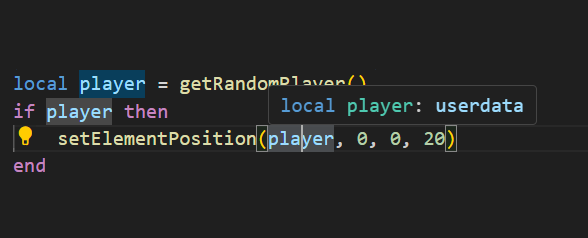
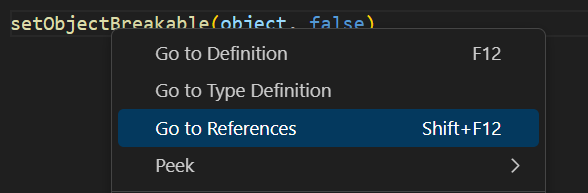
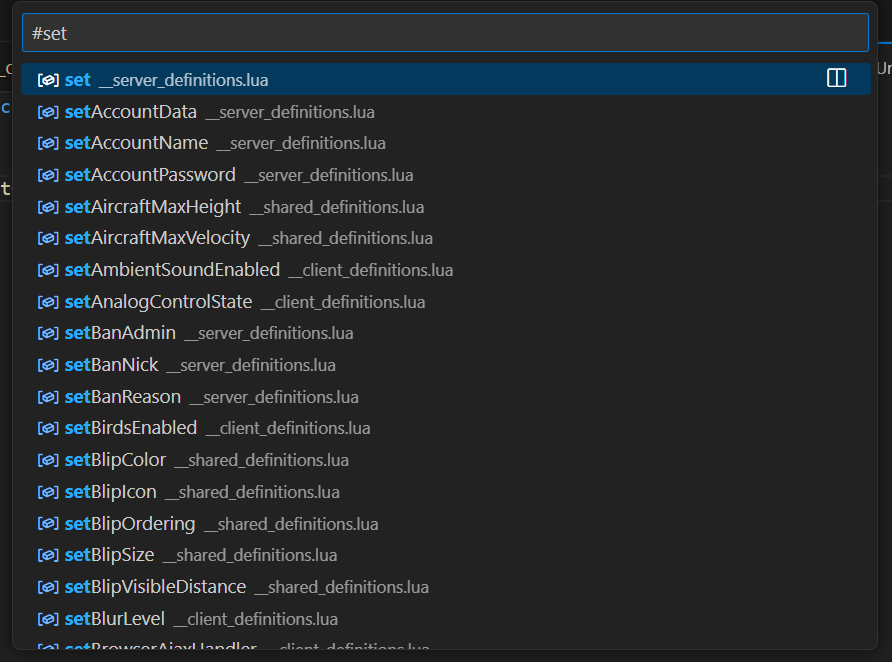
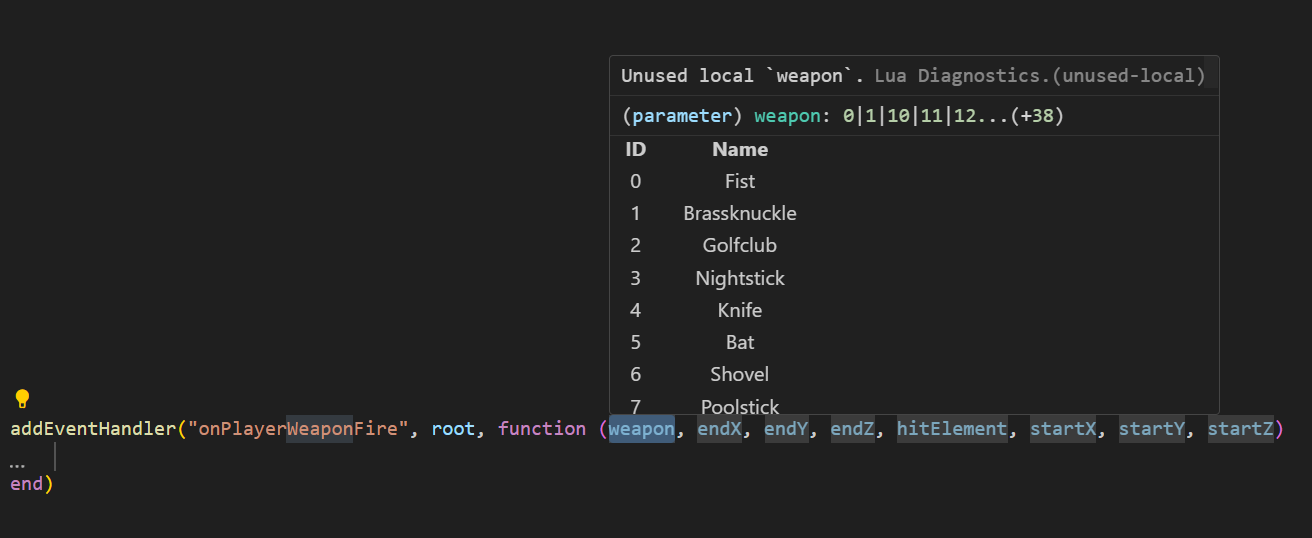
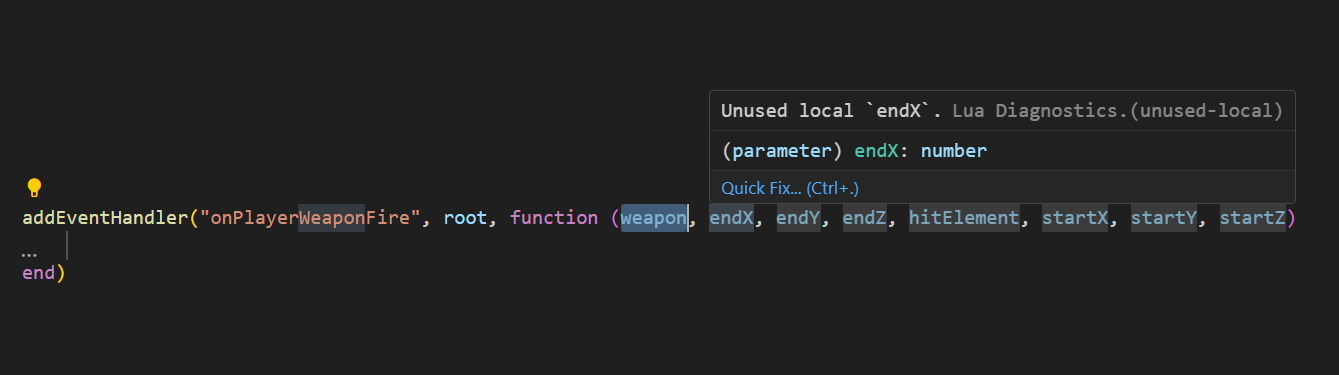
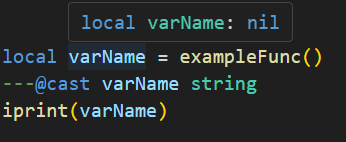
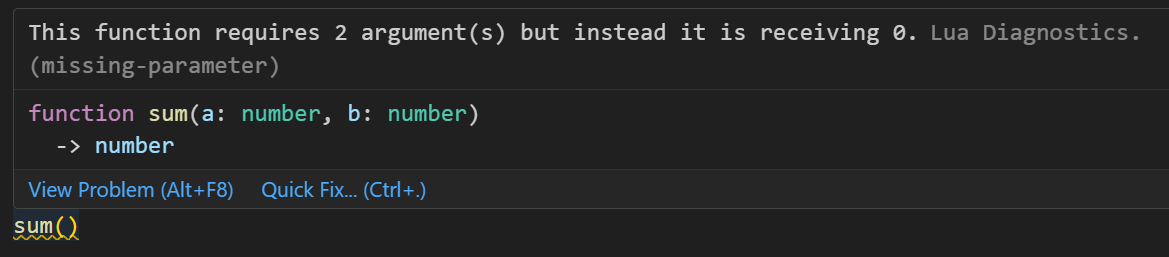
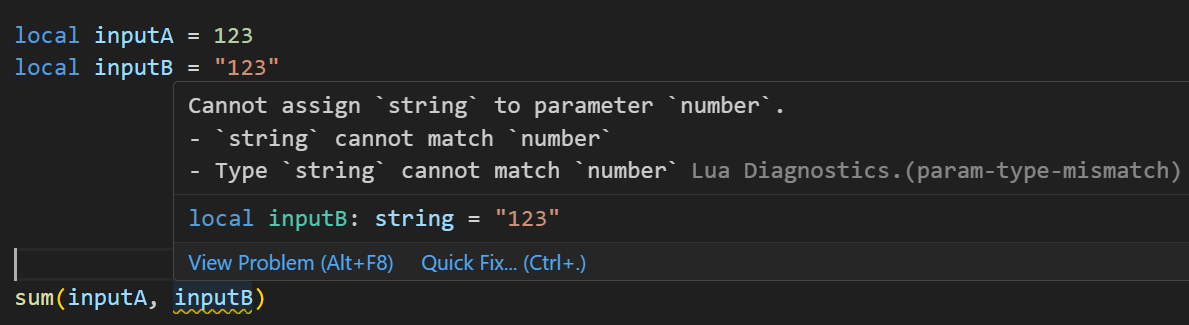
Lua Language Server - Definition files The Lua language server is a powerful tool that enhances the development experience for Lua programming. It provides a comprehensive set of code editing features, including suggestions, auto-completion, and error checking. With the Lua language server, developers can effortlessly navigate through their resource files, access documentation easily, and ensure code correctness by giving warnings. Why should you care? The language server will inform you about all sorts of problems: type mismatches, missing function arguments, missing variables, etc. You have access to a lot of MTA syntax/autocomplete out of the box. The syntax information will remain while writing. You do not have to restart your resource so often in order to validate if everything is working. Type validation Having value type validation in your code editor is one of the main key features of the Lua Language Server. When working with variables, parameters, and arguments in Lua, you are not restricted to specific value types. This flexibility can make mistakes more likely to happen. However, being able to validate those mistakes instantly saves you a lot of time and frustration. Type annotations for your own functions Adding type annotations to your own functions can help improve validation and catch logic mistakes. It is particularly useful when calling functions from different parts of your code, as the annotations provide clarity on the expected input (arguments) and output (return values). Additionally, comments that are placed above or adjacent to a variable or function are visible when hovering over them in another file or line. This can provide helpful information and context when working with the code. How that looks like: How can I quickly add annotations in less than a second? Open the spoiler: AddEventHandler auto-complete Most MTA addEventHandler functions have full eventName autocompletion. And the attached anonymous function is fully autocompleted and typed as well. Navigation features of Lua Language Server It can be time consuming to find out where a (global) function or variable is located. Being able to jump right to it, saves you a lot of time. Other information which you can find in the readme Installation for the Lua Language Server How to use the definition files? Known issues Make sure to always have an empty new line at the end of your files, as recommended in this issue. Currently, the Lua server language definition files do not have a clear separation between serverside functions/events and clientside functions/events. However, it is possible to enforce this separation for specific functions if needed. outputChatBox--[[@as outputChatBox_server]]("Serverside", player) In certain cases, certain functions in the Lua server language definition files may return multiple types, even if you have selected a different syntax. To handle this situation, you can use the `cast` or `as` notation to explicitly specify the desired type or adjust the returned type. See `Casting and as` syntax below. Casting and as In certain situations, you may have a strong understanding of the type(s) that a variable or expression will have. This is where the keywords "cast" and "as" come into play. These keywords enable you to explicitly specify the intended type, ensuring proper type handling. local varName = exampleFunc() ---@cast varName string local varName = exampleFunc() ---@cast varName string | number local varName = exampleFunc() --[[@as string]] local varName = exampleFunc() --[[@as string | number]] Download The definition files can be downloaded here.

- 15 replies
-
- 8
-
-

-
- lua
- lua language server
- (and 13 more)
-

worldobject group multiple world objects more than one at a time
skatefilter5 posted a topic in Scripting
Is it possible to group multiple world objects beside one at a time? I want to move the world object out of the map like if want to pickup grove street and bring it far away from san andreas map. especially the interiors to make player climb up platforms. thanks