Leaderboard


.thumb.jpg.292d235d6f74a1e6413417ff183e149f.jpg)
Popular Content
Showing content with the highest reputation on 25/07/21 in Posts
-
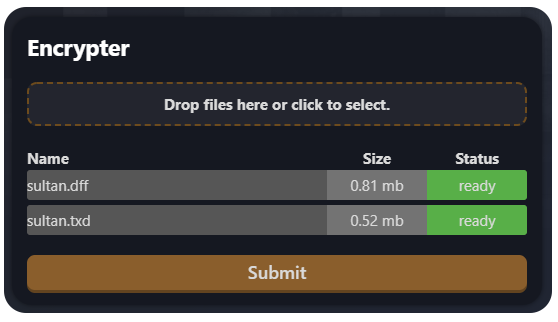
Model encrypter BETA Protect your models easily. https://mtaclub.eu/pcrypt When it's done, don't forget to read HOW_TO_USE.txt! Please let me know if you find a bug!
 10 points
 -
You can append custom data at the end of dff/col/txd files, you can add option to add extra information about author of model ( encrypted to look simillar to rest of file ), if someone manage to steal models - you can still track who originally entrypted them2 points
-
Another great tool! I don't have much knowledge about programming but I think the 2 most important things would be: 1) That they can't decrypt the files, on MTA forum I have seen several post with tips to create a secure encrypter. For example using "keys" in server side or something like that. 2) That the load does not have too much impact on the PC of the players. And avoid problems like this.1 point
-
It clearly says that image/blip/6.png failed to load. Does that file exist? Is it added in meta.xml?1 point
-
spawnPlayer works when the player is spawned and alive as far as I know, but it does more things than just teleporting, such as setting the skin and resetting the health to full, which is why it's not the right choice for teleporting.1 point
-
The problem is that collisions unload when objects are far enough from the camera. You can use setElementFrozen to freeze the player in place when you put the camera somewhere else, then unfreeze when you reset the camera to follow the player.1 point
-
I believe this needs IPL or IDE implementation before you can natively add mirrors/reflections as these are added through cullzones in GTA. In our Discord server @Sarrum said you just need to find an interior that has a reflection, then map your object and give it slight transparency and it should reflect as intended. Maybe he can give further insight into this as I might've missed something!1 point
-
This method works for me perfect: local scrX, scrY = guiGetScreenSize() local devScreenY = 1024 local scale = math.min(math.max(scrY / devScreenY, 0.65), 2) local parent_w = 600 local parent_h = 360 local parent_x = scrX / 2 - parent_w * scale / 2 local parent_y = scrY /2 - parent_h * scale / 2 addEventHandler("onClientRender", root, function() dxDrawRectangle(parent_x, parent_y, parent_w * scale, parent_h * scale, tocolor(23, 23, 25)) dxDrawCircle(parent_x + (50) * scale, parent_y + (50) * scale, 50 * scale, 0, 360, tocolor(60, 80, 150)) end)1 point