Sex* Posted September 23, 2012 Posted September 23, 2012 (edited) Where i can change NOS pickup bottle color. Blue to Green... Also Tab color and NOS flames color. How can i change them to green? And change the admin panel design... Edited October 30, 2012 by Guest
Baseplate Posted September 24, 2012 Posted September 24, 2012 1.Search for a free host on forums 2.Check on Community 3.Show ur code 4.go to ur mtaserver.conf and change ur fps limit there to ur desired FPS limit 5.Good luck
Sex* Posted September 24, 2012 Author Posted September 24, 2012 Fps now OK. 2.I started now to edit the race script but there is alot of problems: How do i make "next map" script? How to change text color? How i move that "time passed" up there is "time left"? is it safe to remove the traffic radar too?
Sex* Posted September 25, 2012 Author Posted September 25, 2012 And add that then i modify the pictures with paint they come really ugly basicly like minecraft. How do i get good pictures???
Sex* Posted September 26, 2012 Author Posted September 26, 2012 Hmm i have LightRoom 3 photoshop but it dont find .png files. But btw i started to make that timeleft changes to timepassed.... so i changed the timeleft text to timepassed then i runned the server with modified file but not working! The travelling to next map thing just stays there but the map starts but cant drive or anything like that...
Sex* Posted September 26, 2012 Author Posted September 26, 2012 (edited) Anybody can find a problem why i cant change the places timeleft and time passed? Here is my modified script already there i changed timeleft to time passed so they could change places(but the travelling screen stays but maps start no errors in console): g_Root = getRootElement() g_ResRoot = getResourceRootElement(getThisResource()) g_Me = getLocalPlayer() g_ArmedVehicleIDs = table.create({ 425, 447, 520, 430, 464, 432 }, true) g_WaterCraftIDs = table.create({ 539, 460, 417, 447, 472, 473, 493, 595, 484, 430, 453, 452, 446, 454 }, true) g_ModelForPickupType = { nitro = 2221, repair = 2222, vehiclechange = 2223 } g_HunterID = 425 g_Checkpoints = {} g_Pickups = {} g_VisiblePickups = {} g_Objects = {} addEventHandler('onClientResourceStart', g_ResRoot, function() g_Players = getElementsByType('player') fadeCamera(false,0.0) -- create GUI local screenWidth, screenHeight = guiGetScreenSize() g_dxGUI = { checkpoint = dxText:create('0/0', screenWidth - 15, screenHeight - 54, false, 'bankgothic', 0.8, 'right'), timeleft = dxText:create('0:00:00', screenWidth - 10, screenHeight - 25, false, 'bankgothic', 0.7, 'right'), mapdisplay = dxText:create('Map: none', 2, screenHeight - dxGetFontHeight(0.7, 'bankgothic')/2, false, 'bankgothic', 0.7, 'left') } g_dxGUI.checkpoint:type('stroke', 1, 0, 0, 0, 255) g_dxGUI.timeleft:type('stroke', 1, 0, 0, 0, 255) g_GUI = { timepassedbg = guiCreateStaticImage(screenWidth/2-108/2, 15, 108, 24, 'img/timeleft.png', false, nil), timepassed = guiCreateLabel(screenWidth/2-108/2, 19, 108, 30, '', false), } guiSetFont(g_GUI.timepassed, 'default-bold-small') guiLabelSetHorizontalAlign(g_GUI.timepassed, 'center') hideGUIComponents('timepassedbg', 'timepassed','checkpoint', 'timeleft') RankingBoard.precreateLabels(10) -- set update handlers g_PickupStartTick = getTickCount() addEventHandler('onClientRender', g_Root, updateBars) g_WaterCheckTimer = setTimer(checkWater, 1000, 0) -- load pickup models and textures for name,id in pairs(g_ModelForPickupType) do engineImportTXD(engineLoadTXD('model/' .. name .. '.txd'), id) engineReplaceModel(engineLoadDFF('model/' .. name .. '.dff', id), id) -- Double draw distance for pickups engineSetModelLODDistance( id, 60 ) end if isVersion101Compatible() then -- Dont clip vehicles (1.0.1 function) setCameraClip ( true, false ) end -- Init presentation screens TravelScreen.init() TitleScreen.init() -- Show title screen now TitleScreen.show() setPedCanBeKnockedOffBike(g_Me, false) end ) Edited September 26, 2012 by Guest
Sex* Posted September 26, 2012 Author Posted September 26, 2012 And if i add to mapdisplay next map script why it dont work(i just copy the thing map none bla bla and put next map but nothing...
Sex* Posted September 28, 2012 Author Posted September 28, 2012 (edited) Omg please i need some help . And i like to change the texts color also(map, toptimes, spectators...) Things to do: host change map, timepassed.... colors show next map script and lots of coming.... soon a screenshot of my server too Edited September 30, 2012 by Guest
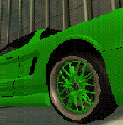
Sex* Posted October 4, 2012 Author Posted October 4, 2012 Things to do: host change map, timepassed.... colors show next map script and lots of coming.... And i see that i told you i post a screenshot so here is the latest screenshot;)
Woods. Posted October 9, 2012 Posted October 9, 2012 Okay,can't you just edit the first message instead spamming?
Sex* Posted October 9, 2012 Author Posted October 9, 2012 Now i have a host but the thing is: There was original server files and i added my files.... And started the server and all the noob maps and shit came into my server..... so i deleted the original file.... but the noob maps and shit stayed there....
Sex* Posted October 11, 2012 Author Posted October 11, 2012 Made a restart to server but still shit maps and settings..... I have deleted them!!
Sex* Posted October 17, 2012 Author Posted October 17, 2012 Fixed... now only need a race script and some really good maps
Sex* Posted October 21, 2012 Author Posted October 21, 2012 (edited) Because hosting problems...my server has been offline. But i have been working And some questions also How can i color that Next Map Start in: 3,2,1 Where is the script Next map: "[DM]Xeat v9 - Minimal" And "Author: Xeat`=D" Where i can change NOS pickup bottle color. Blue to Green... Where i can find to delete that in the right that "|PG|Se#012345x*" died Edited October 22, 2012 by Guest
Sex* Posted October 22, 2012 Author Posted October 22, 2012 Also i want to change the scoreboard and nos color
Sex* Posted October 30, 2012 Author Posted October 30, 2012 Bhhh delete the posts, only leave the first post!

Recommended Posts
Create an account or sign in to comment
You need to be a member in order to leave a comment
Create an account
Sign up for a new account in our community. It's easy!
Register a new accountSign in
Already have an account? Sign in here.
Sign In Now